Update System
Update software
- Go to our website to check for software updates.
- Download the updates to a USB (formatted as FAT32).
- Insert the USB stick.
- Tap
 on the startscreen to open the Settings menu.
 - Tap
 to show system information.
 - Tap the file name to install it.
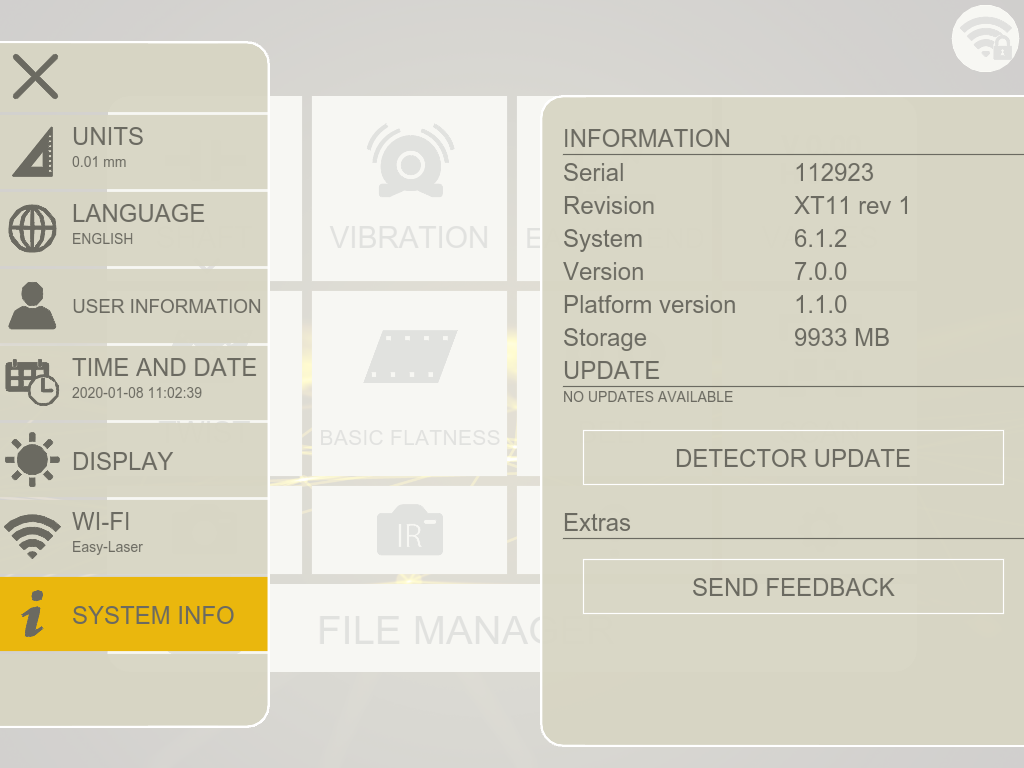
Update detector
If you decide to update your detectors, please update both S- and M-unit.
The file for updating the detectors is downloaded automatically together with the latest software update.
- Plug your detector and Display unit into power.
- Tap on the startscreen to open the Settings menu.
- Tap to show system information.
- Tap "detector update".
- Select a detector in the list. The Update-button is active if the selected detector is compatible with the update.
- Tap Update. The update can take up to 15 minutes.
- Follow the instructions on screen.
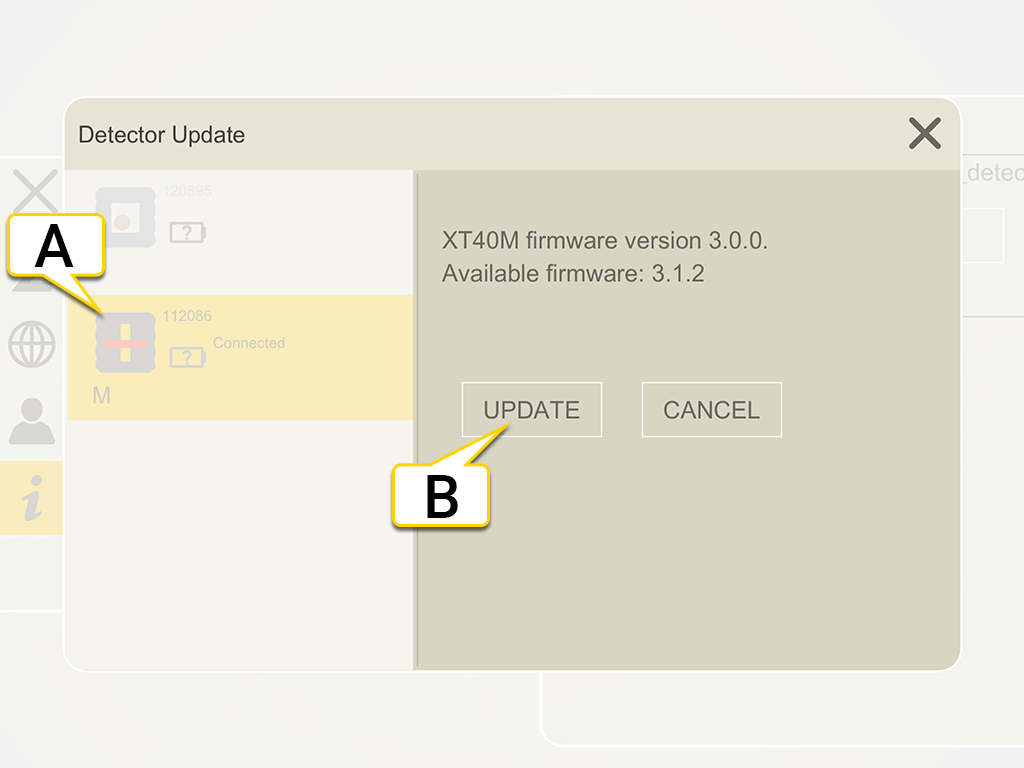
- Tap to select a detector
- Tap to update the selected detector