Measure with Display unit
Make sure that the laser line hits the detector aperture. The Display unit shows the offset and angular misalignment. The laser transmitter flashes when the battery is low. Change the batteries before you continue to measure. The E190 BTA can also be used as a separate tool. Go to Measure without Display unit.
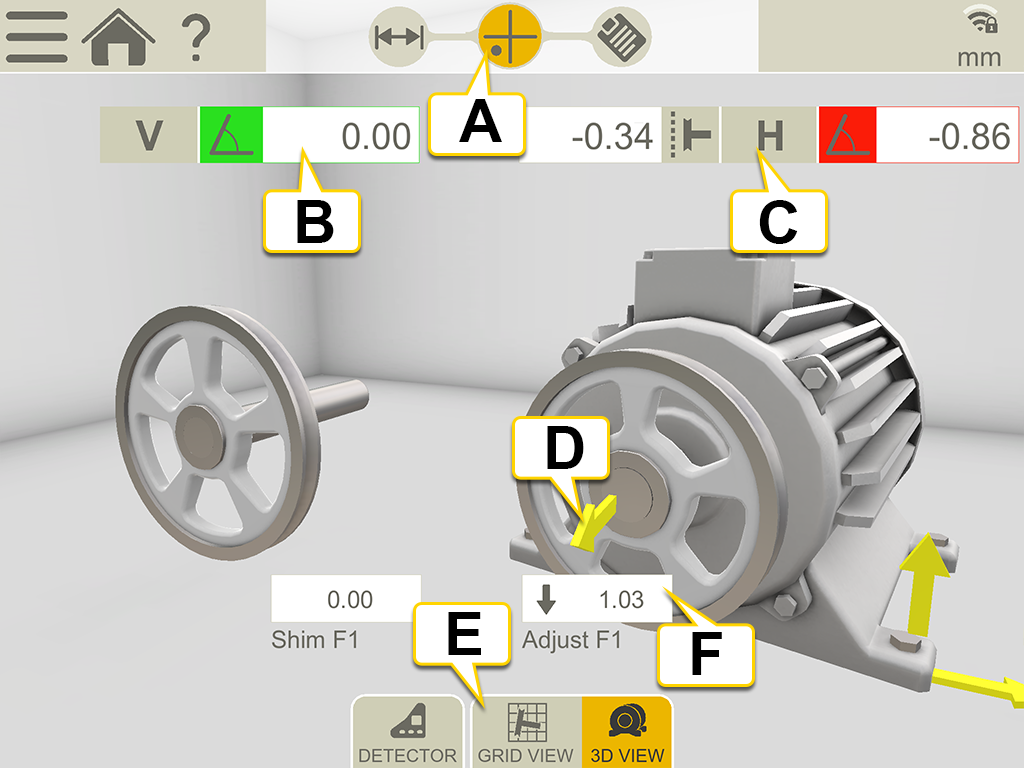
- The Measure icon is active in the workflow.
- Vertical angular error. To set tolerance, Go to Belt Tolerance and RPM.
- Horizontal angular and offset error.
- Adjustment arrows show how to move the machine.
- Toggle between showing grid and machine view.
- Feet values.
Grid view
Tap  to show the grid view.
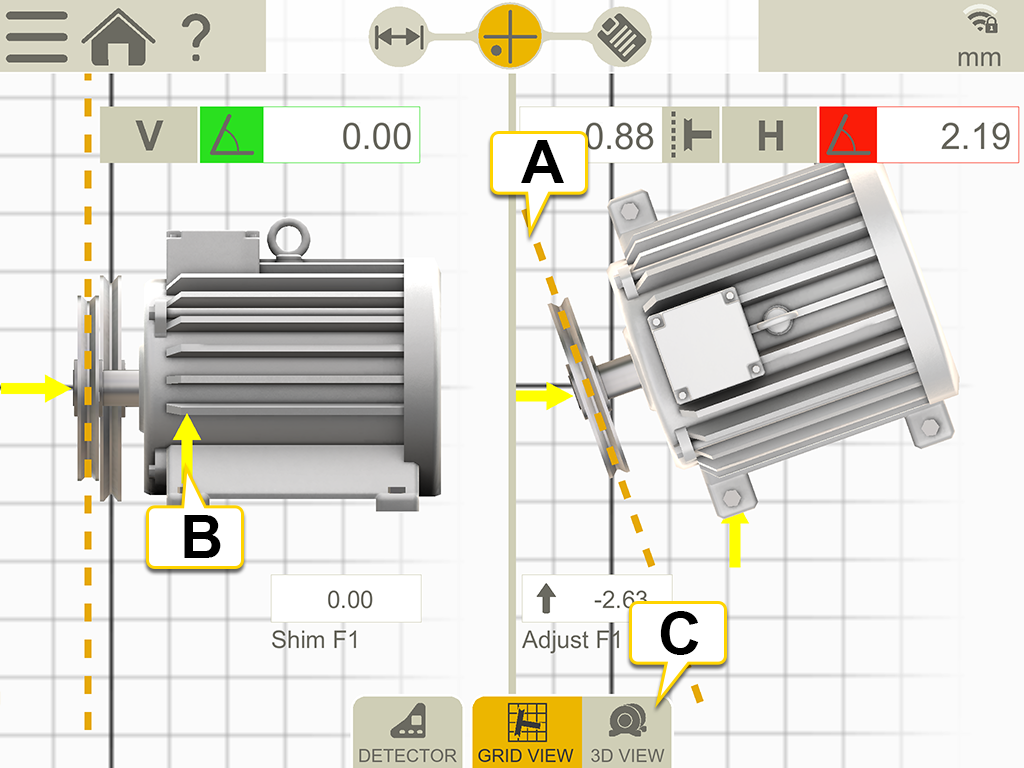
- The yellow line amplifies the offset and angle for an easier adjustment.
- Adjustment direction.
- Switch to 3D view.
Menu icons
Tap  to open the menu.

|
Add a note to the report. Go to Report Overview. |

|
Go to XT Display Unit Camera |

|
Finalize the measurement. Go to Finalize. |
Adjust
Start by adjusting the sheave, and then the machine.
- Correct offset by moving the movable machine with axial jackscrews, or by repositioning one of the sheaves on its shaft.
- Correct vertical angular error by shimming the movable machine.
- Correct horizontal angular error by adjusting the movable machine with lateral jackscrews.
When you adjust the machine one way, it often affects the machine’s other alignment conditions. Which means this process may have to be repeated several times.
NOTE! If not using the system for a long period of time, remove the battery from the laser transmitter.