Report
The report covers all details from the measurement. The report is constantly being filled out while the session is carried out. To see the report at its current state, tap  in the workflow.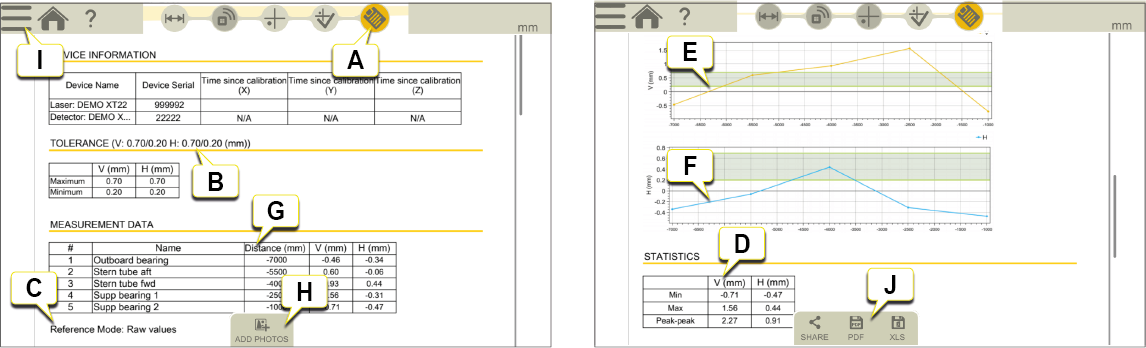
-
Report icon is active in the workflow.
-
Tolerances.
-
Reference mode.
-
Statistics.
-
Graph for V values.
-
Graph for H values.
-
Table with bore positions and measurement values, Vertical and Horizontal.
-
Add photos (not applicable if you have finalized the measurement).
- Tap
 and
and  to finalize the measurement. Go to Finalize
 - Save as a PDf or Excel file. The files are saved in the File manager. The Share and Save functions are available after the measurement has been finalized.
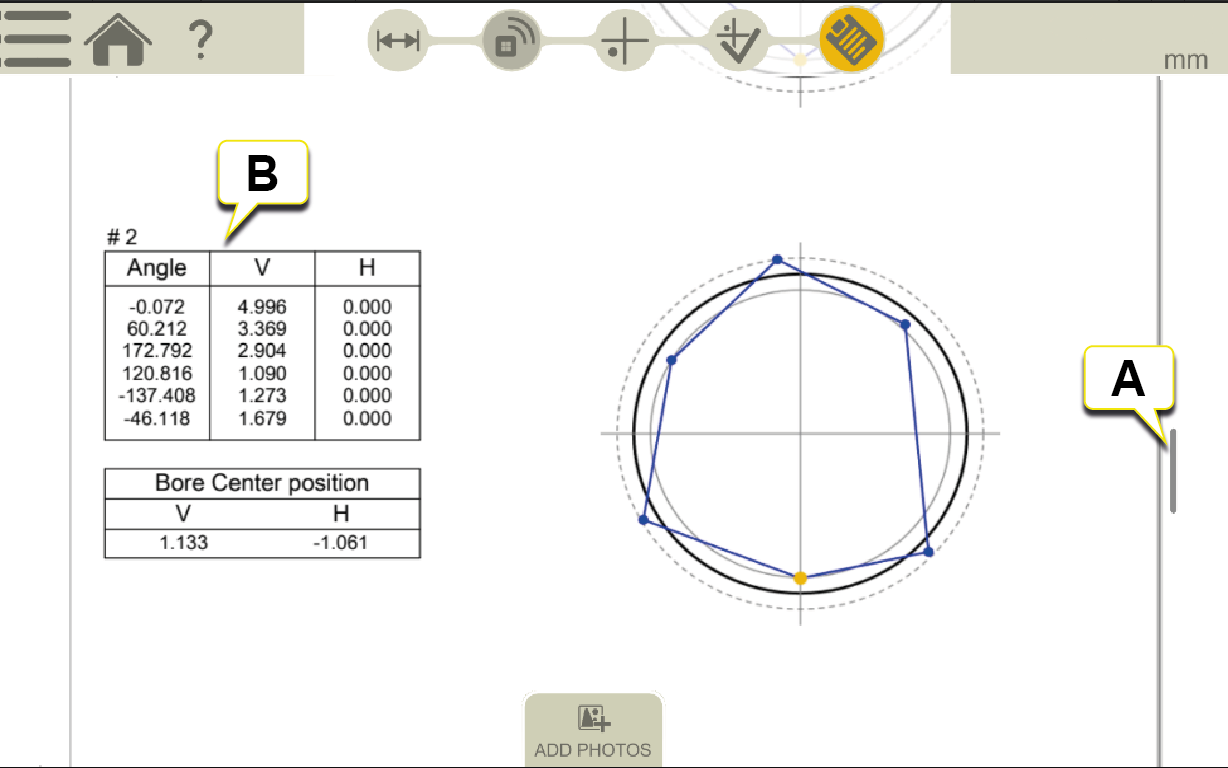
Roundness view in REPORT
-
Scroll down in Report to view Roundness.
-
Roundness values.
For information on how to:
- Change the template
- Add a note
- Add a photo
- Change user information
- Save a report
- Share a report to USB