Tolerance
By default, a tolerance i set. You can add your own tolerance if needed.
- On the coupling, tap
 .
. - Tap
 to display the tolerance menu.
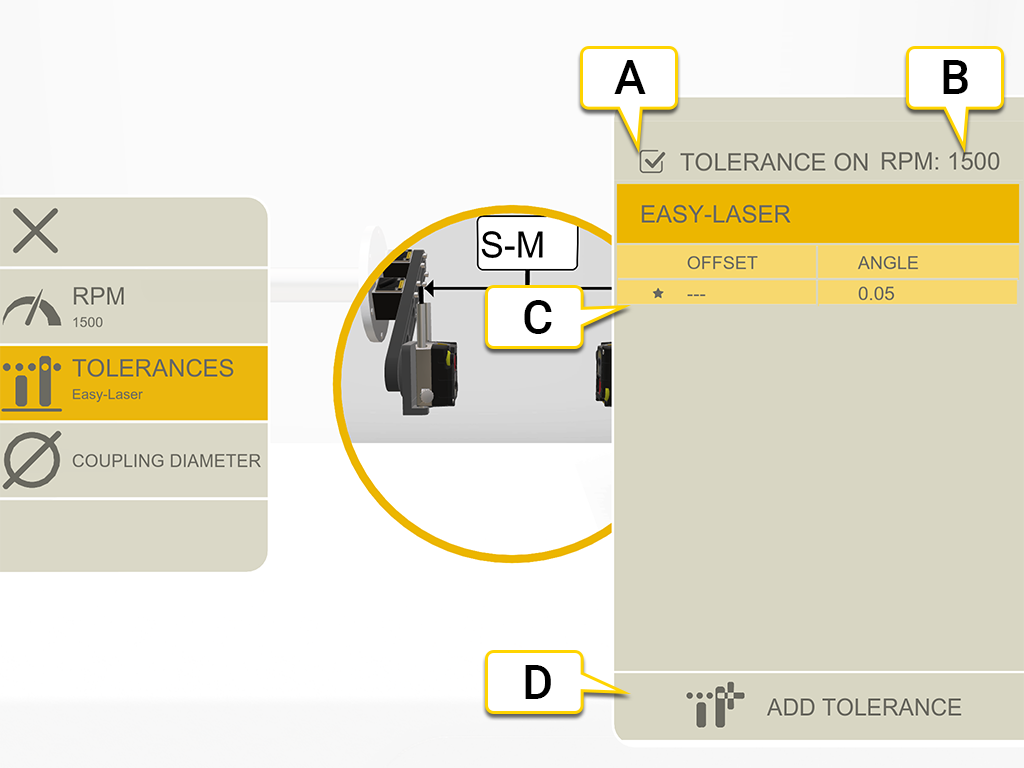
- Turn tolerance on/off.
- Current RPM.
- Selected tolerance.
- Add custom tolerance.
Easy-Laser
This tolerance is default.

|
Indicates not within tolerance. Red background. |

|
Good. Green background. |
Custom tolerance
You can add your own user defined tolerance.
- Tap
 .
. - Enter offset and angle values.
- Tap to add the custom tolerance.
There are two tolerance levels for custom tolerances.