Manual entry
Manual entry is used to combine the current Machine Train measuring method with the possibility to manually add external measurement values for certain couplings. The benefit of this is that you are able to use many different measuring units to collect all your measurement values in the XT app and into the final report. Go to Machine train Report
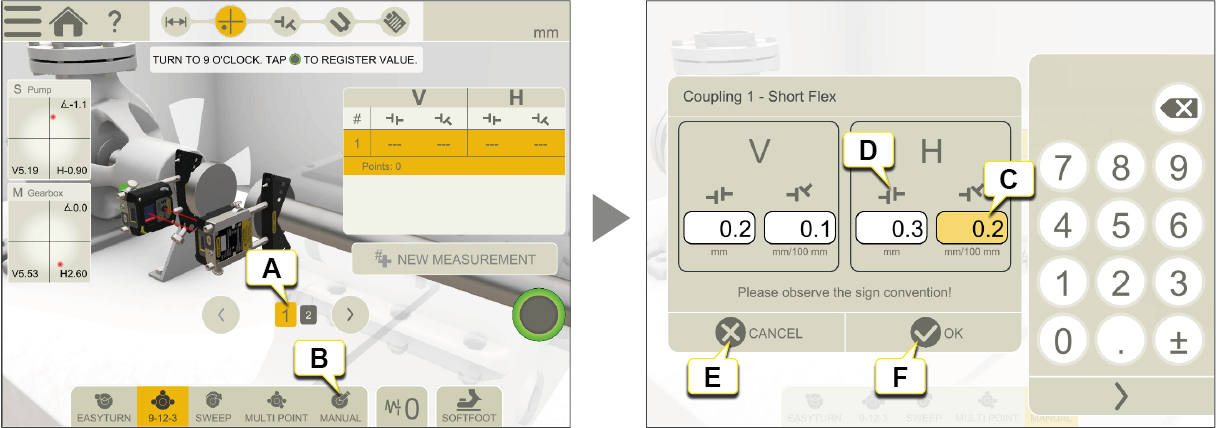
- Selected coupling for Manual entry.
- Tap
 to select Manual entry.
 - Enter your Vertical and Horizontal measurement values.
- Icon showing coupling angle or offset according to entered measurement values.
- Tap to cancel entered measurement values.
- Tap when all measurement values are OK.
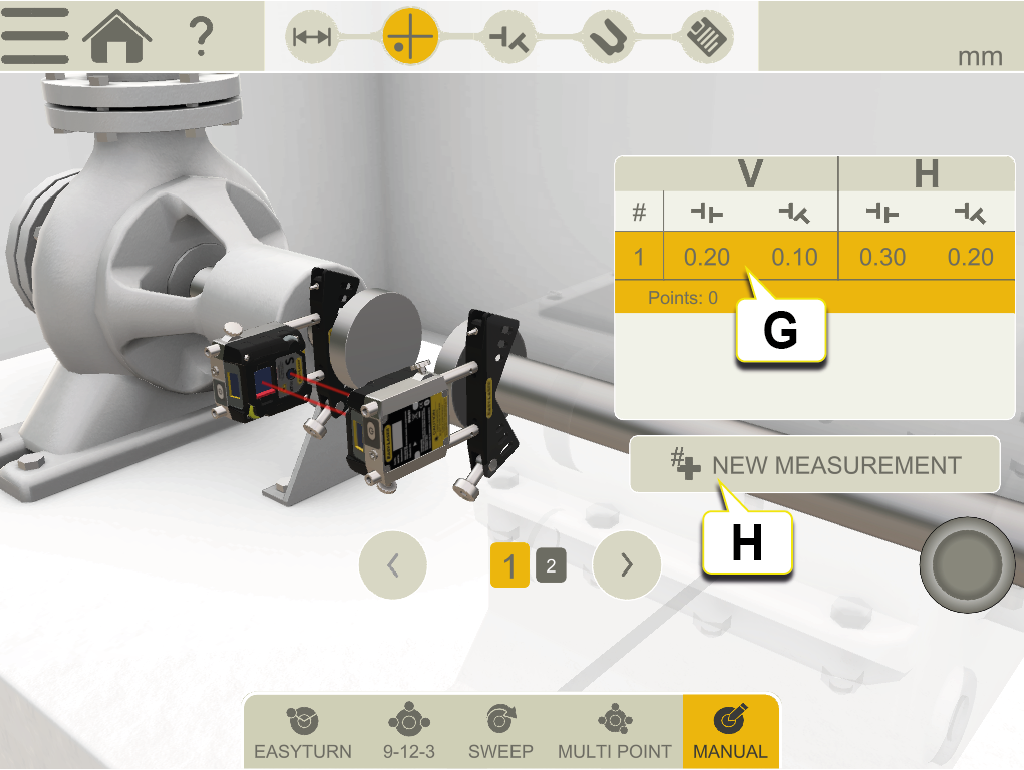
- When tapping "OK", your entered values are displayed in the measurement table.
- Tap to enter new measurement values.
After performing Manual entry you can select another coupling and measure with Easy-Laser measuring units.
NOTE! "Please observe the sign convention!" is referring to how the coupling icons show positive or negative offset or angle values in the XT app.
NOTE! Adjusting is not possible in Manual entry mode. To live adjust you need to use Easy-Laser measuring units connected to the XT app.