Connect
In the "Connect" view you select the measuring devices you wish to connect.
Type of device and serial number are displayed in the Live Device view below [C].
NOTE! Once you have registered a measurement value you can not return and change your device setup.
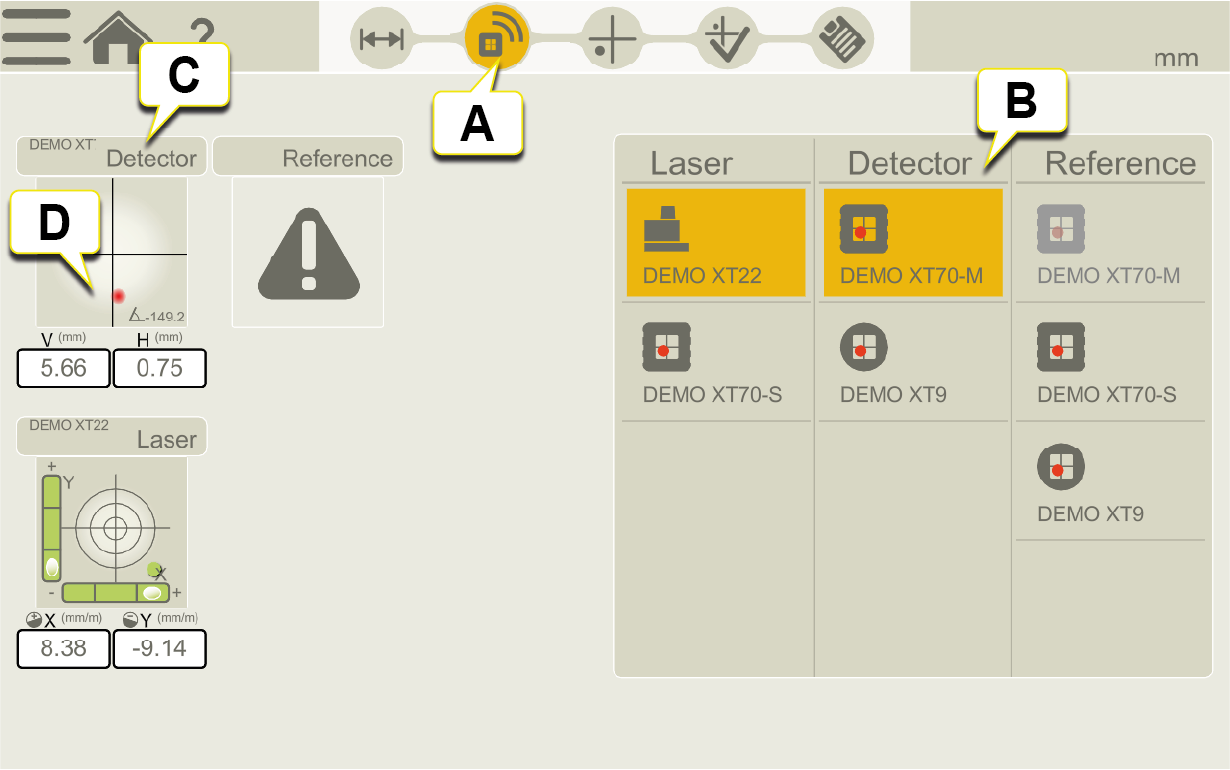
- Tap Connect icon in the workflow.
- Select the devices you want to connect. Tap selected device to disconnect.
-
Device type and serial number.
-
Live detector PSD for Setup of the laser beam, tap to enlarge live reading and to zero set/halve value.
Reference detector
It is possible to connect a reference detector (XT-70 S, XT70-M or XT9) in Connect view. When using a reference detector, you can monitor any movement of the laser beam during a measurement.
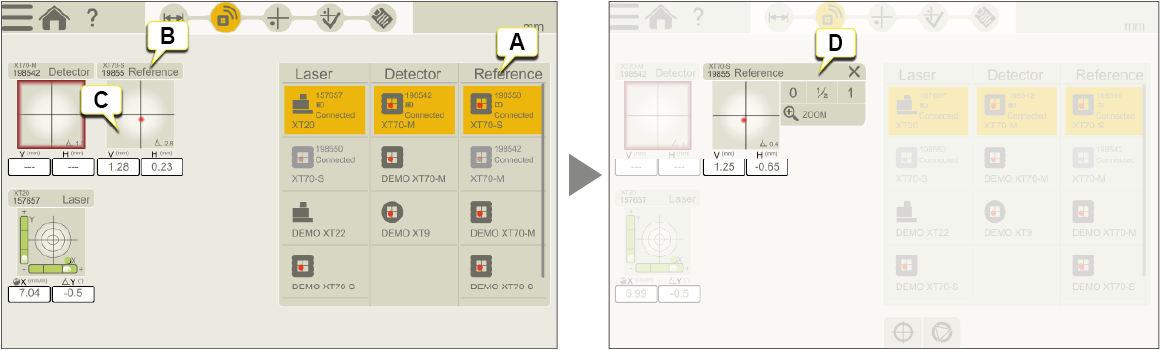
- Select the reference detector you want to connect. Tap selected device to disconnect.
- Device type and serial number.
-
Live Reference detector PSD, tap to enlarge live reading and to zero set/halve value.
-
Zero set and halve value when live device is zoomed in.
Enlarge a specific live reading
Tap the Live Device View to open Context menu and tap "ZOOM". This is useful when you need to read from a distance during Set up procedure. See "Measure".
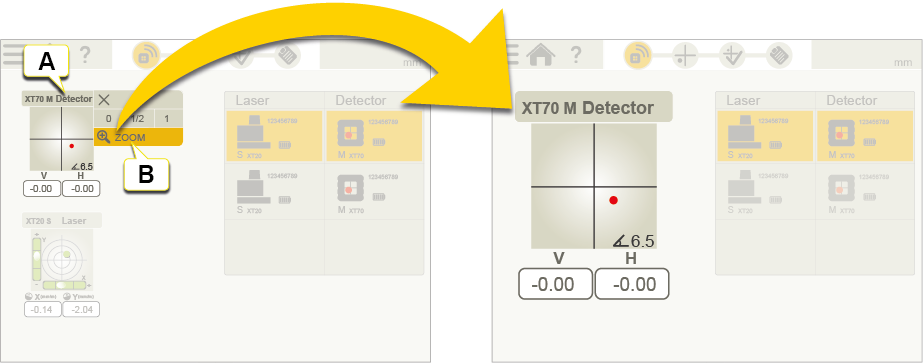
- Tap the Live Device View to open Context menu.
- Tap to enlarge selected live reading.
Set resolution and angular unit for Laser Transmitter XT20 and XT22
Tap the Live Device View to open Context menu and tap "RESOLUTION". Set resolution (number of decimals) and angular unit for XT20/XT22. The resolution and angular unit in the XT20/XT22 measuring display will be the same as the settings in the app.
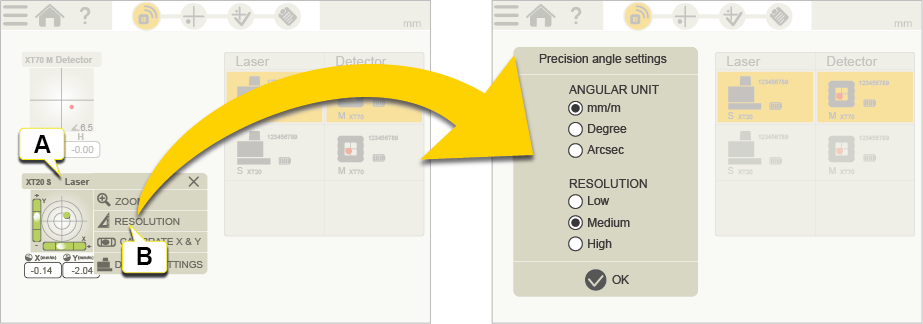
- Tap the Live Device View to open Context menu.
- Tap to set angular unit and resolution.
Calibrate Laser Transmitter XT20 and XT22
Tap the Live Device View to open Context menu and tap "CALIBRATE". Calibrate XT20/XT22 electronic levels horizontally by following the Calibration guide in the app.
Go to Calibrate XT20/XT22 electronic levels horizontally
Go to Calibrate XT22 electronic level vertically
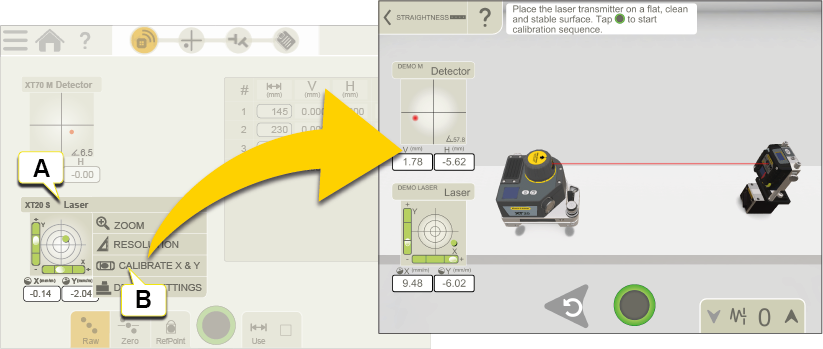
- Tap the Live Device View to open Context menu.
- Tap to calibrate laser transmitter.
NOTE! If you want to use electronic levels, these must be calibrated before you start measuring.