Adjust
In the Adjust view, live values are displayed. When reading the values, face the stationary machine from the movable machine. For information how to read the values, Go to Result. Values within tolerance are green.
-
Shim the machine according to the vertical feet values.
-
Adjust the machine sideways according to the live horizontal values.
-
Tighten the feet.
- Tap
 to remeasure or tap
  to view the report.
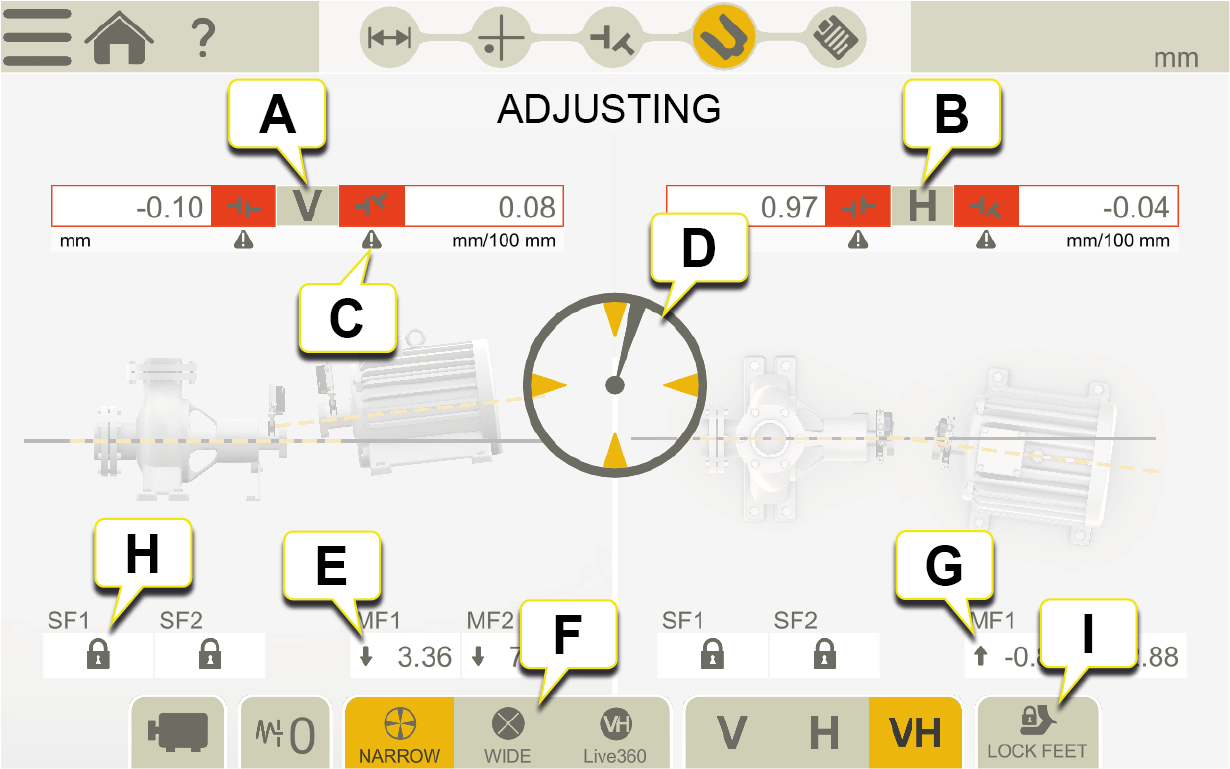
- Vertical offset and angle values.
- Horizontal offset and angle values.
- Tolerance indicators. Go to Tolerance.
- Turn to live.
- Arrow shows how to adjust the vertical values.
- Select narrow, wide or 360 live sectors.
- Arrow shows how to adjust the horizontal values.
- Indicates Locked feet.
- Lock feet. Go to Locked feet.
To simulate an adjustment, Go to Adjustment Guide
Graph view
Tap  to show the graph.
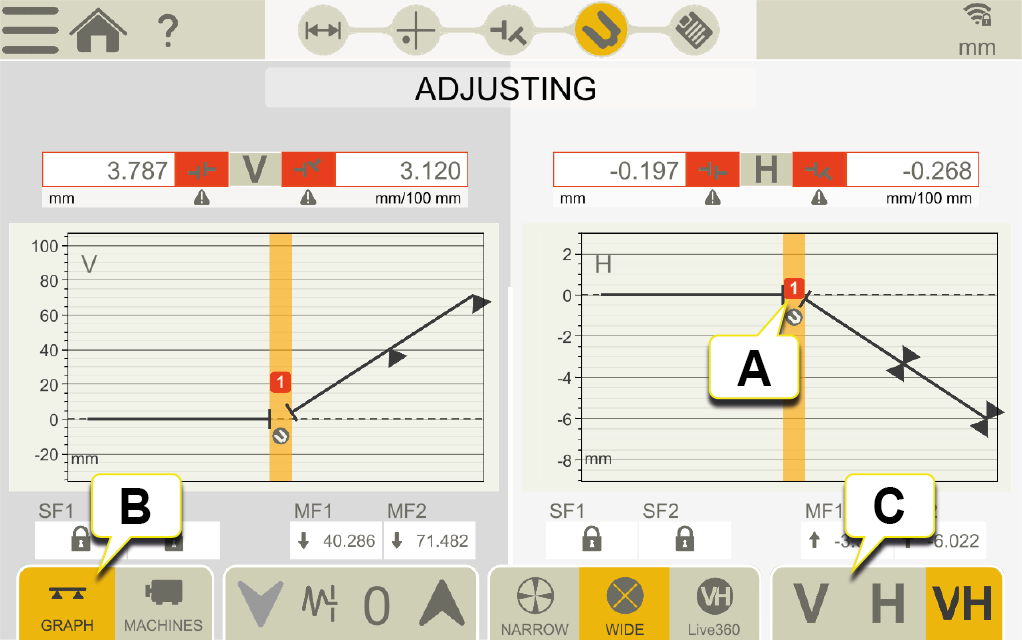
- Coupling number. color indicates tolerance. Go to Tolerance
- Tap to change result view.
- Tap to show only vertical or horizontal view.
Live values with inclinometer
With the programs EasyTurn, Sweep and Multipoint, the inclinometer controls when live values are shown.
Select one of the corresponding live options:

|
Narrow, live values are shown when the units are positioned within (±2°) of the clock positions. |

|
Wide, live values are shown when the units are positioned within (±44°) of the clock positions. |

|
Live360, live values are shown in both vertical and horizontal direction. Only available when using XT70. When you select Live360, make sure that you have not moved the measuring units after registering the last measurement point. If you have, please remeasure to ensure an accurate result. |
NOTE! The live option 360 is sensitive for movements/backlash. Ensure that backlash will not influence the measurement.
Live values without inclinometer
With the program 9-12-3 the inclinometer is not used, instead you manually show in which position your measurement units are.
- Turn the shafts with detectors to a live position.
-
Tap the corresponding live option, see below.
- Tap
 before you leave the live position.
Live options:
|
|
Not live. If you want to change live position, you need to select this first and then the new position. |

|
Live at 9 o'clock. |

|
Live at 12 o'clock. |

|
Live at 3 o'clock. |

|
Live at 6 o'clock. |