
Software download
Here you can download the latest versions of our software, and more.
XT Alignment app
The Easy-Laser XT Alignment app is used together with the Easy-Laser® XT measuring devices. Without the hardware, you can still use the demo mode to test the functionality of the app.
Languages:
English, German, French, Spanish, Italian, Polish, Turkish, Russian, Swedish, Finnish, Brazilian Portugese, Japanese, Korean, Chinese (traditional and simplified), Thai and Vietnamese.
Latest version 10.8.0, 0MB


If you don't have access to Google Play:
XT Alignment app for Android (320MB)
Release notes XT Alignment app (Version 10.8.0, 1MB)
XT Alignment app for Android v.9/10
(Version 8.3.2, 300MB)
XT Alignment app for ECOM Tab-Ex 01 tablet
(Version 8.11, 300MB)
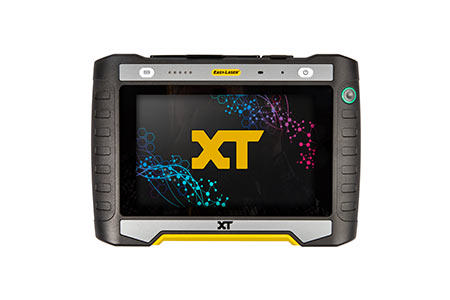
XT12 display unit software update
The installation procedure for the software is described in the document "Release notes XT Alignment app". Read it carefully before downloading the update file.
(Users running System version 008 or 009 also need to update the firmware. Click on "Other versions" to the right to access the XT app+Firmware installation file.)
Also contains software for detector units. See the Release notes to learn how to check if your detector has an available update.
Languages:
English, German, French, Spanish, Italian, Polish, Turkish, Russian, Swedish, Finnish, Brazilian Portugese, Japanese, Korean, Chinese (traditional and simplified), Thai and Vietnamese.
Latest version 10.8.0, 190MB
Release notes XT Alignment app (Version 10.8.0, 1MB)
Latest software+Firmware update (Only needed if you run System v. 008 or 009)
(Version 011, 1120MB)
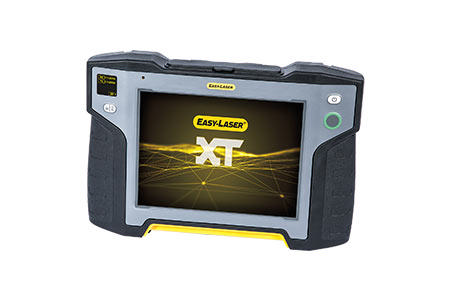
XT11 display unit firmware update
The installation procedure for the firmware is described in the document "Release notes XT Alignment app". Read it carefully before downloading the update file.
Also contains software for detector units. See the Release notes to learn how to check if your detector has an available update.
NOTE! XT Alignment app version 8.1 and higher is not compatible with display unit XT11 rev. 1 (serial number 129231 or lower).
Languages:
English, German, French, Spanish, Italian, Polish, Turkish, Russian, Swedish, Finnish, Brazilian Portugese, Japanese, Korean, Chinese (traditional and simplified), Thai and Vietnamese.
Latest version 10.8.0, 840MB
Release notes XT Alignment app (Version 10.8.0, 1MB)
Firmware XT11 rev.1
(Version 8.0.17, 1200MB)
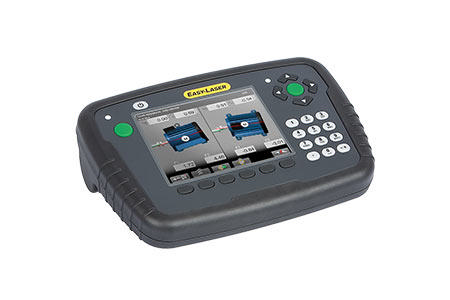
E Series display unit firmware update
The installation procedure for the firmware is described in the document System update. Read it carefully before downloading the update file. Please also read the Release Notes carefully.
Users of systems with Firmware 1.6 or lower must install SYSFRAME 35 before upgrading to the latest version (file available under Download/Other versions).
Latest version 12.23, 33MB
Release Notes all versions (Version 12.23, 2MB)
Sysframe.35.zip
(Version 1, 14MB)
EasyLink™ 3
This software is discontinued and therefore available for download as is. User support is not available.
System requirements: Windows® XP, Vista, 7, 8, 10. For the export function, Excel 2003 or newer must also be installed on the computer.
Latest version 7.4.4, 24MB
EasyLink 3 full installation (D- & E-series)
EasyLink 3.0 Manual.pdf (Version 1, 2MB)

RS232 To USB Driver
- Identify your type of cable.
- Download the corresponding program folder.
- Then choose USB driver depending on your Windows operating system.
- If your type of cable cannot be used with your operating system, please contact your local Easy-Laser® dealer.